Every advertising screen is a small operations problem. Someone has to walk over, plug in a USB stick and hope it is the right file. Viewix Display is the platform I built to make that a few clicks from anywhere, for screens that often sit on unreliable networks.
The problem
Our customers run screens across many locations: shop floors, lobbies, checkout counters, food courts. Each location needs different content at different hours, and each screen sits behind a connection that can drop without warning. A display that goes black because the Wi-Fi hiccupped has failed, so the product had two jobs. Let a manager change what plays from one place, and keep the screen playing when the network does not cooperate.
One console for the whole fleet
The web console is where managers work. The overview shows plays, online rate, storage use and the screens that need attention. The device list shows status, Android and app versions, resolution, group and last-seen time for every screen. Most day-to-day work, like renaming a screen or sending it a remote command, never requires a visit to the site.
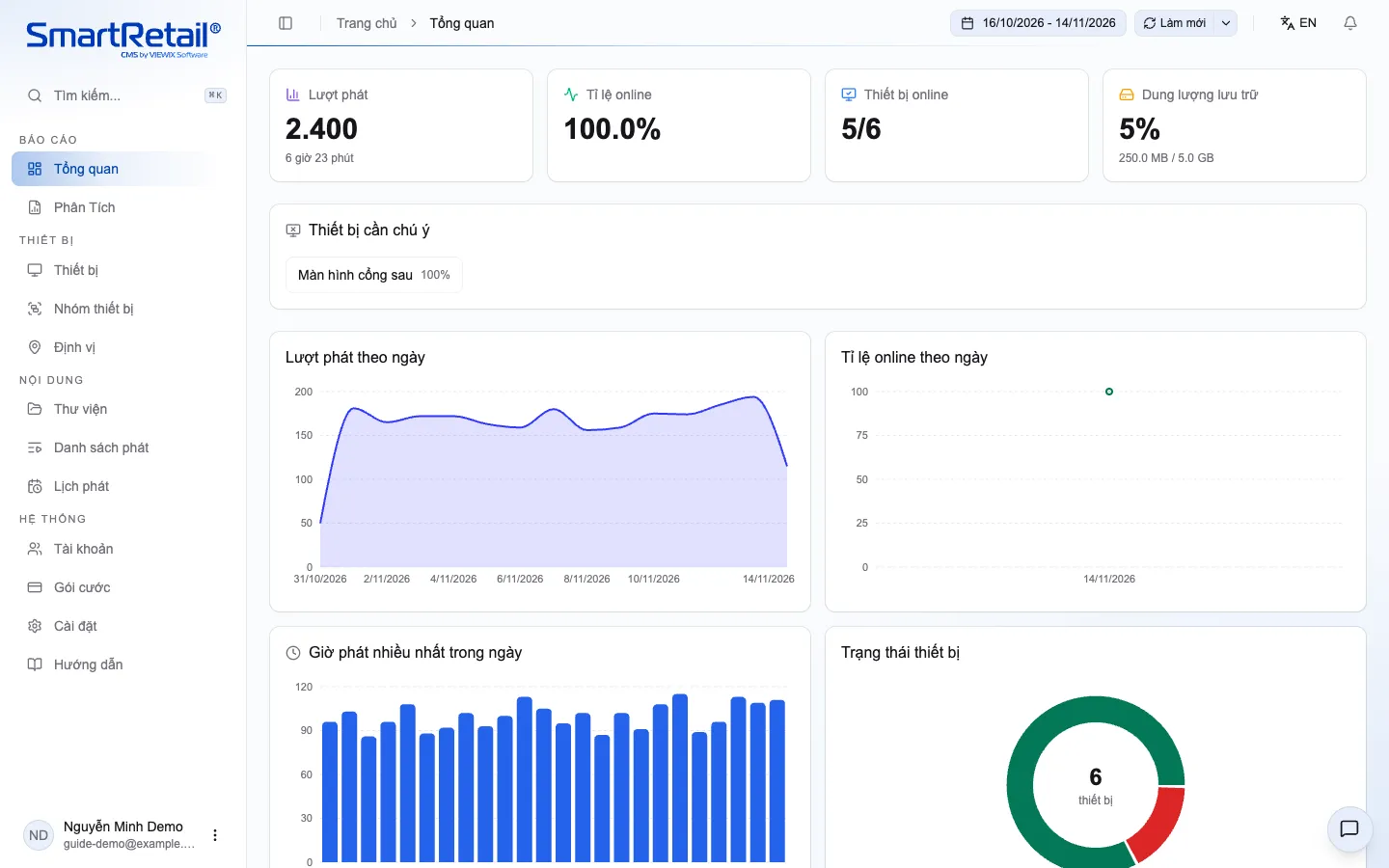
Overview: play counts, online rate, storage use and screens that need attention. The screenshots in this post use demo data.
Adding a screen is a short handshake between the player and the console. The player shows a six-character pairing code, the manager types it into the console, names the screen and assigns it to a group. Codes expire after ten minutes and work only once, so a used code cannot be replayed.
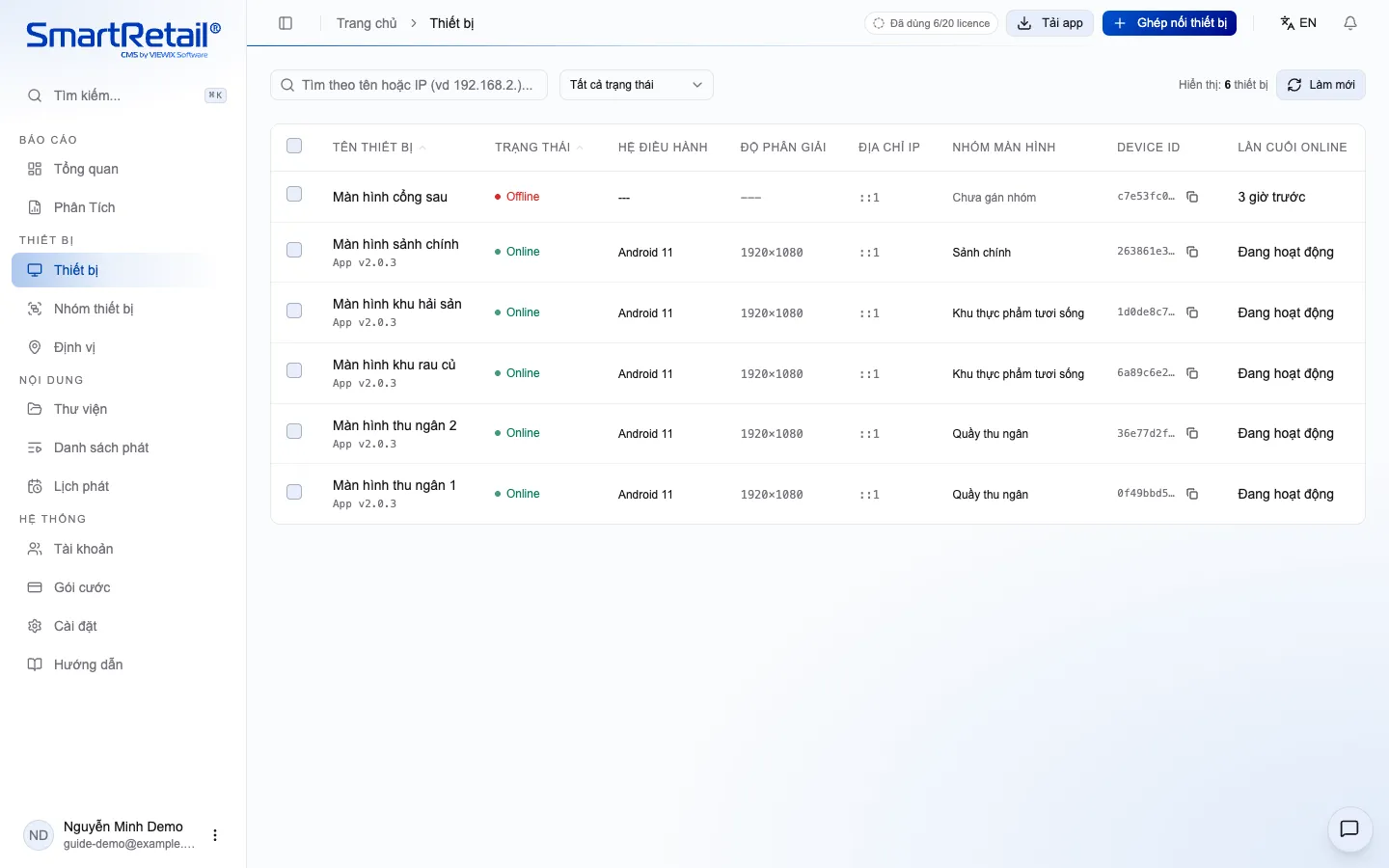
Device list: status, app version, group and last-seen time for each screen.
Playlists and video walls
A playlist is an ordered set of slides: images, videos, web pages or PDFs, each with its own duration and repeat count. The editor offers eleven frame layouts, from full screen to a 3×3 grid.
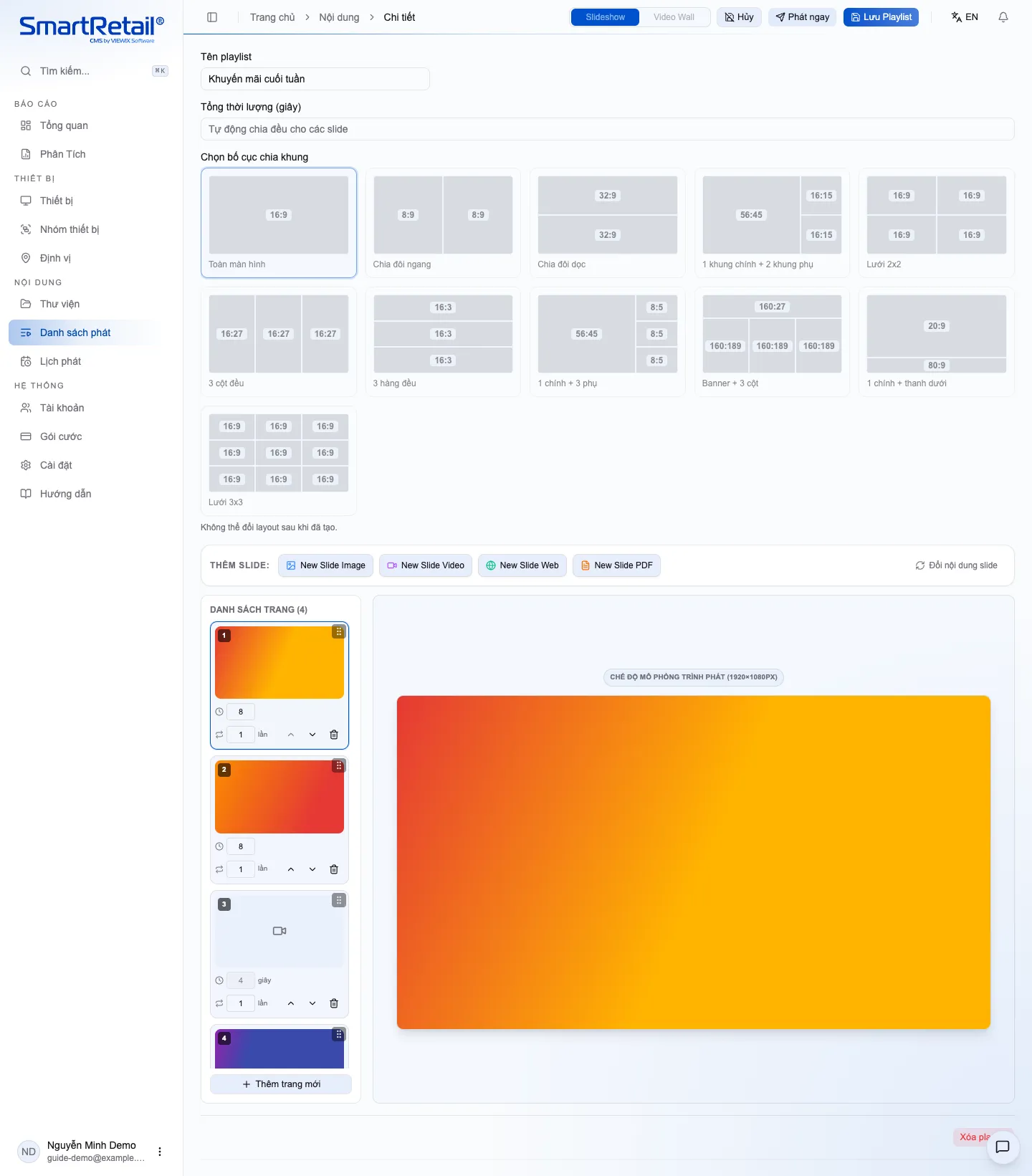
Slideshow editor: choose a layout, then arrange slides with durations and repeats.
A video wall treats several screens as one canvas. You pick the rows and columns, and the preview shows exactly how the source is cut across the panels. If the source is smaller than the full wall, the editor warns you, because the picture will be enlarged and may look soft.
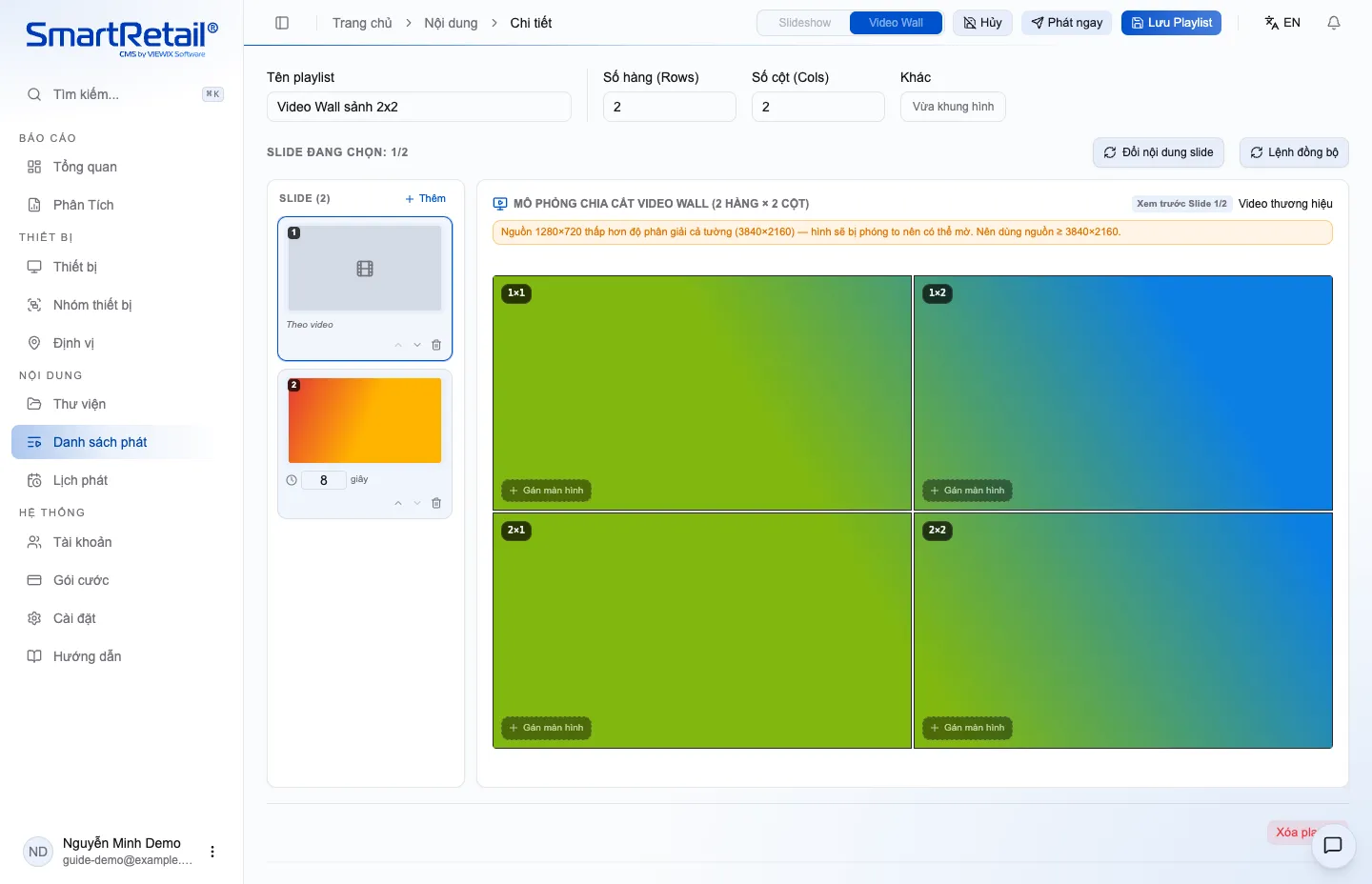
Video wall: a 2×2 preview, with a warning when the source resolution is lower than the wall.
Schedules that respect local time
Schedules combine a date range, optional weekdays and a daily time window. When several plays qualify at the same level they rotate instead of overriding each other, and a scheduled play takes precedence over an immediate one while its window is active.
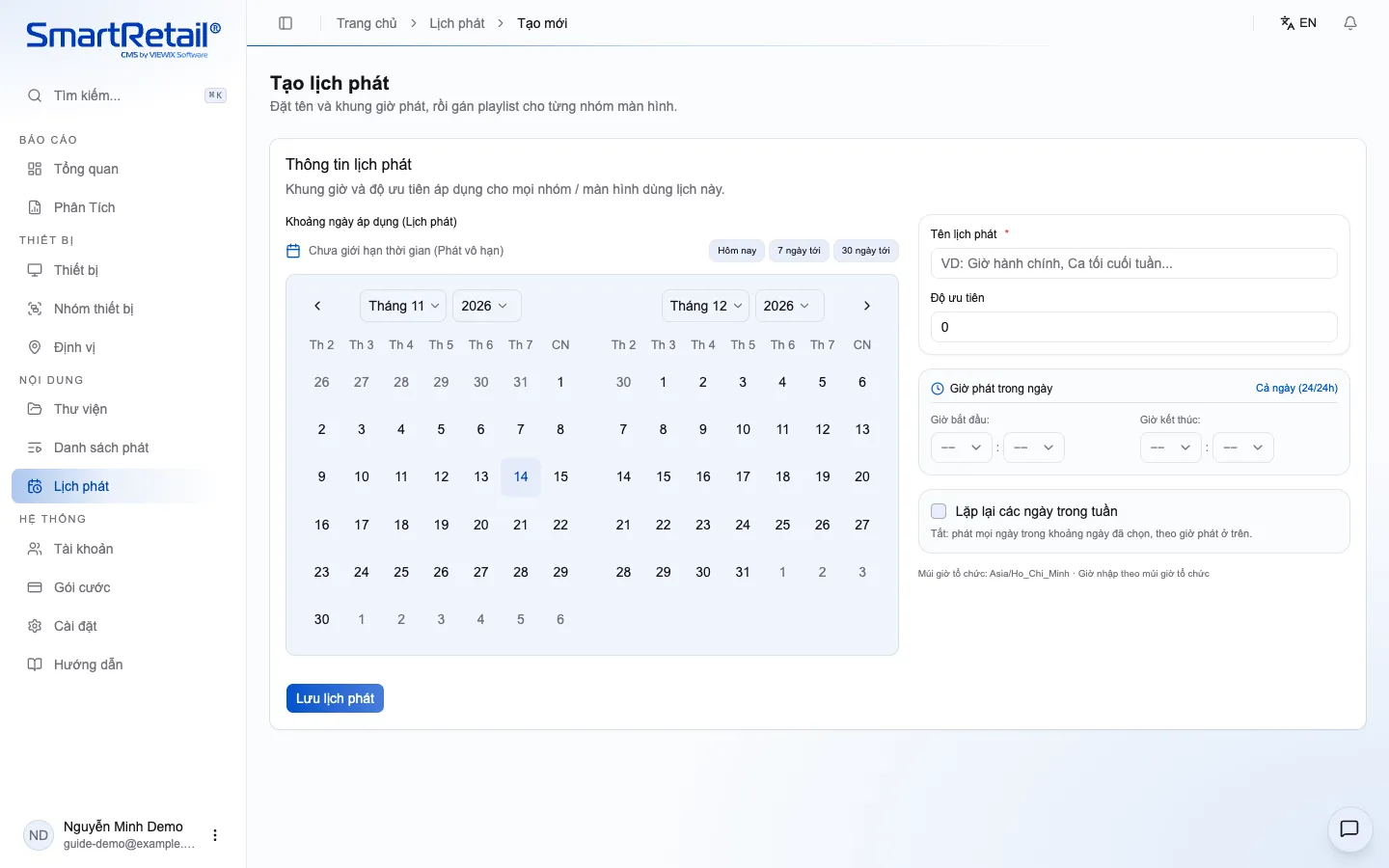
Schedule form: a date range, a daily time window and optional weekday repeats.
Time is the tricky part. The server stores every instant in UTC. Each organization has a fixed timezone, currently Vietnam (UTC+7) or Singapore (UTC+8), and neither observes daylight saving time, so schedules never shift twice a year. Managers type times in local time, the server converts them, and each player evaluates its dayparts with the offset it receives on sync. A breakfast playlist set for 7:00 starts at 7:00 on the store clock, not at 7:00 UTC.
An offline-first player
The Android player starts from the opposite assumption: the network is a bonus, not a dependency. When a playlist changes, each media file is downloaded to a temporary .part file, its SHA-256 is checked against the manifest, and only then is it moved into the cache. A half-finished or corrupted download never reaches the screen. When the network drops, playback continues from the cache.
Setup happens on site through a PIN-protected admin panel, where a technician can pair the screen, adjust network settings or clear stored content without needing the console. Device credentials are kept in the Android Keystore through secure storage, never in plain preferences.
Architecture at a glance
- Web console: Next.js 16 and React, with a Tauri desktop shell and a typed API client generated from the server’s OpenAPI spec.
- Server: ExpressoTS on Express 5, Drizzle ORM and PostgreSQL. It is a modular monolith with 17 business modules, and media lives in S3-compatible storage (MinIO on-premise).
- Player: Android app built with Expo and React Native, with an offline cache and secure key storage.
- Integrations: PayOS for payments, Resend for email, and license keys that cap how many devices a tenant can pair.
Keeping tenants apart
Each organization is a tenant, and the tenant ID comes only from the verified JWT. Only platform-level roles can act on behalf of another tenant, and that rule lives in one function so it cannot drift between routes. Passwords are hashed with scrypt, and a dummy hash keeps login timing the same whether or not an email exists. Refresh tokens are stored as SHA-256 hashes and rotate on every use. Device API keys are issued at pairing and stored only as hashes.
Reports and the map
Every play is logged. The analytics page shows plays and total playback time per screen with an hourly breakdown, and reports export to Excel or CSV. Hourly buckets are calculated in the tenant’s timezone, so the busiest hour is the store’s busiest hour, not the server’s.
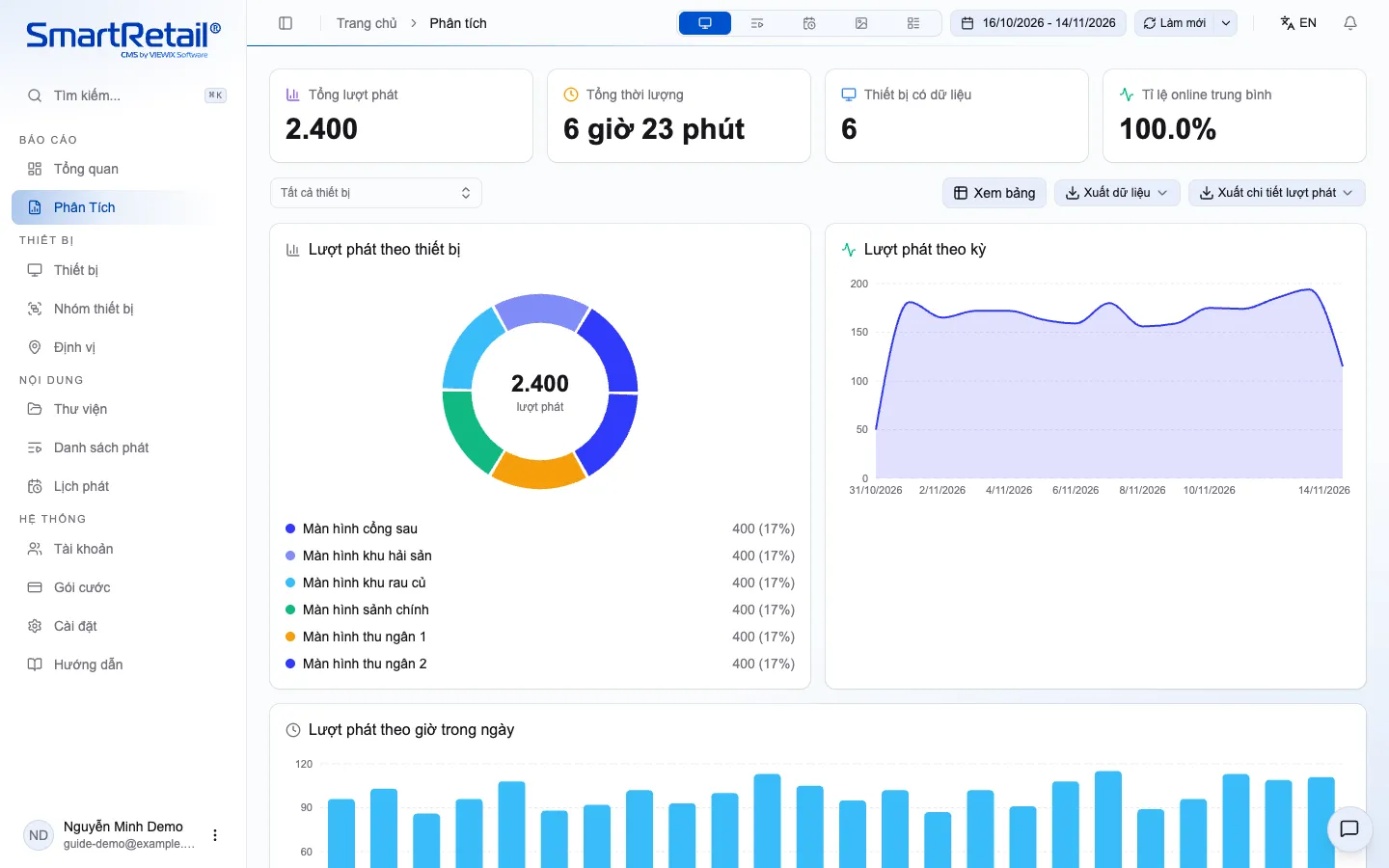
Analytics: plays by screen, playback time and the hourly distribution in the tenant’s timezone.
The location map shows where screens are. Screens that report a position appear on it, filterable by group and status, together with the playlist each one is playing.
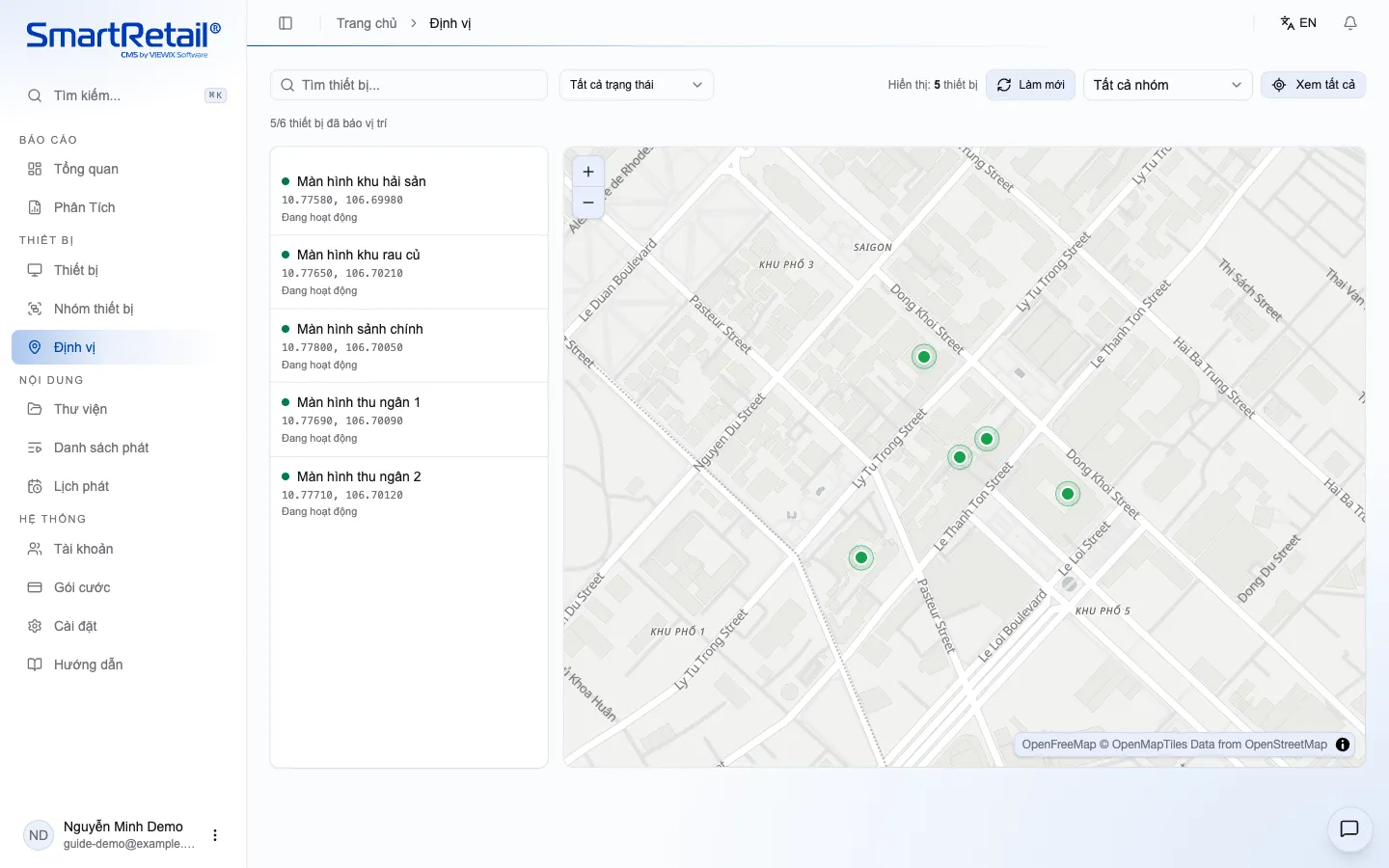
Location: screens that report a position, filterable by group and status, with the playlist they are playing.
Running it on your own servers
The same codebase runs as a hosted SaaS and as an on-premise bundle. Customers who need their data inside their own network get a Docker Compose stack with PostgreSQL, Redis, the server and worker, the web console, Caddy for HTTPS and MinIO for media. Kubernetes manifests built with kustomize are included too. The deployment mode is a setting, so one codebase covers both models.
Lessons learned
B2B products need to think about operations far more than end users do. Prioritizing offline sync from the start avoided a lot of bugs later.